





RedM lockpicking mini games
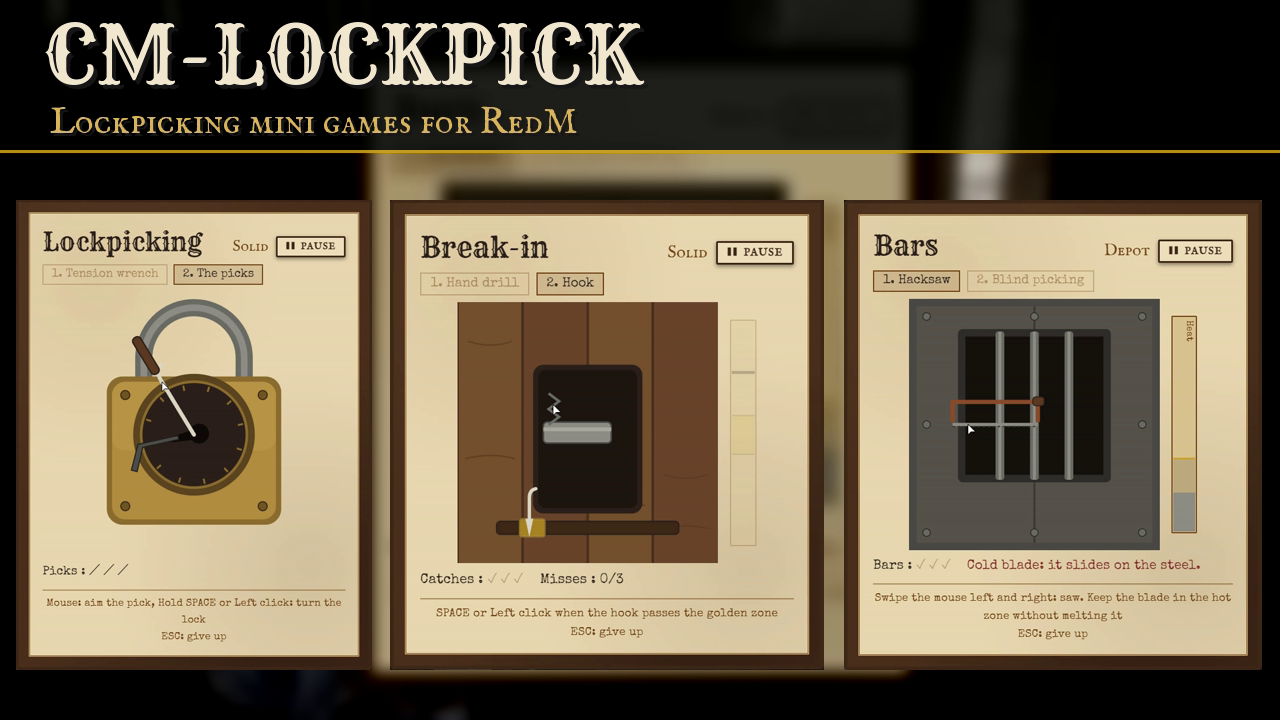
Four lockpicking mini games for RedM and VORP: a padlock, a wooden door, a barred door and a vault. Each game has two stages and needs two tools. The games are not timed: a failure costs a tool, not time. Difficulties, tools, law rules and texts are all set in open config files.
Requires vorp_core, vorp_inventory, ox_lib and oxmysql. The 7 tool items are added to your items table on the first start.
THE GAMES
- Padlock: hold a tension wrench in a moving zone, then find the opening point with the picks.
- Wooden door: drive a hand drill into the screws of the lock plate, then catch the bolt with a small hook.
- Barred door: saw the bars with a hacksaw without overheating the blade, then pick the lock blind with the small hook.
- Vault: drill through steel layers with the right pressure, then set the levers with a master lockpick kit.
- 5 difficulties per game, each with its own name and settings.
- Stage 1 belongs to the lock: after a failure at stage 2, anyone can resume at stage 2 for a set time. One player works on a lock at a time.
- A pause button, and a work gesture for each stage that other players see.
WHAT YOU CAN SET
Games. For each game: default difficulty, the two tools, which tool can break, and every setting of the 5 difficulties (zone widths, speeds, number of screws, bars, layers, levers, picks).
Tools. Item names of the 7 tools. Tools only break on a failure, one per attempt.
Law. Minimum number of officers on duty, which VORP jobs count, the vorp_police duty state, and optional counties so a sheriff only counts in his own. On each attempt the officers get a map blip and a GPS route, cleared when they arrive. Alert delay, duration and blip style.
Other scripts. One server export runs the whole attempt for your doors, chests or safes: law check, tools, alert, game, log. Client exports, a tool check export and law exports for your own illegal actions are included.
Staff and logs. A staff test command, staff by ACE or VORP group. Successes and failures sent to a Discord webhook. Each can be turned off.
Languages. English and French included. A missing key in your own translation falls back to English.
GOOD TO KNOW BEFORE YOU INSTALL
cm-lockpick answers the exports.lockpick:startLockpick call made by vorp_doorlocks, so its doors open the padlock game with no change on their side. Remove ensure lockpick from your server.cfg. In this mode vorp_doorlocks keeps control of its own item: no tool check and no law check from cm-lockpick.
cm-lockpick does not open anything by itself. Your script calls the export and opens its door or chest when the result is a success.
The game is played in the player's interface. The server checks the tools, the law and the minimum duration of a success, and decides which tool breaks. With the client exports the difficulty comes from the client: use the server export for anything that pays a reward.
Counties are rough rectangles on the map, not the game's exact borders.
Tested on VORP only. The Cfx asset escrow only encrypts Lua: the config, the locales and the interface are shipped readable.
INSTALLATION
- Copy the folder into your resources.
- Add
ensure cm-lockpickafter vorp_core, vorp_inventory, ox_lib and oxmysql. - Start the server once, then restart vorp_inventory so it loads the new items.
- Edit
config/config.luaandconfig/games.lua.
DOCUMENTATION AND SUPPORT
Full documentation: docs.camsurmotion.fr
Questions, bug reports and feature requests: Discord