





Redm Foraging
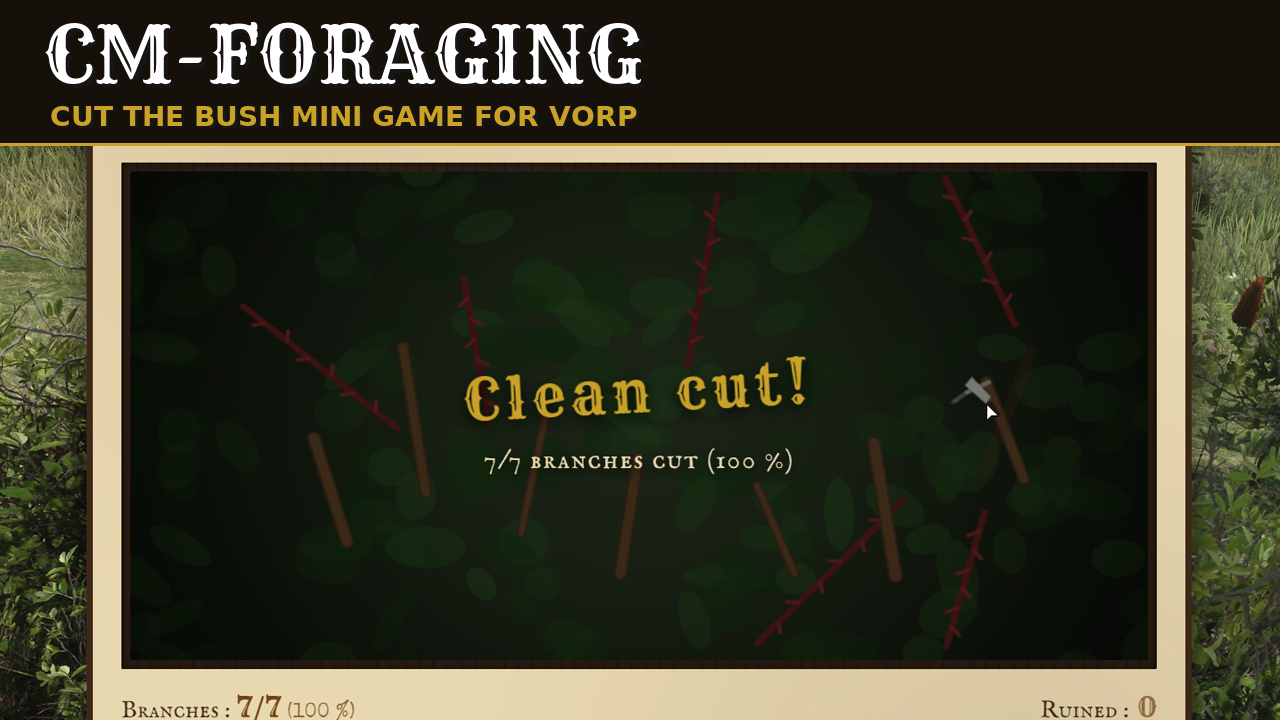
Foraging for RedM and VORP. A player walks up to a bush, presses a key and cuts it with a sickle in a mouse mini game: the more branches cut cleanly, the more the bush gives. A second mini game lets players search the ground at their feet and rub the dirt away to uncover what the server buried. You choose which models give what, where and for whom, in the config files.
Requires vorp_core, vorp_inventory, ox_lib and oxmysql. The ground search also needs a targeting resource: the RedM fork of ox_target, or cm-target. The bushes work without it. The two new items, branch and sickle, are added to your items table on the first start.
THE MINI GAMES
- Cut the bush. Hold the left mouse button and slice each branch through its light notch. Red brambles ruin a branch when the blade touches them. Not timed. The number of branches cut decides which loot lines are rolled.
- Search the ground. Rub the dirt away and click each item once it is uncovered. What is left in the ground stays there: the same spot shows the same items again, nothing is lost and nothing is rerolled.
- Both games have a "Ready?" screen to read the instructions, and a pause key.
- Near a bush, a small hint shows the key. It is not a native prompt, so the satchel and the other menu keys keep working next to every bush.
WHAT YOU CAN SET
Nodes. A node is a group of world models (bushes, brambles, dead brush, rocks) with its mini game, its difficulty from 1 to 5, its loot table, its jobs, its tool, its rest time and its cap. The common green bush is enabled. Brambles, dead brush and rocks are included as examples, turned off. A staff command lists the models around you to add your own.
Loot. One table per node. Each line has an item, a chance, a minimum and maximum quantity, and the share of branches to cut for the line to be rolled. A maximum number of different items per harvest keeps the rarest first. A line can also call an open hook, for example to give a seed from a farming resource.
Zones. Spheres, boxes or polygons that replace the loot, the jobs, the rest time and the cap of a node where they lie. A node can work everywhere, only in zones, or both.
Who and how often. Jobs (a list, or a job and a minimum grade), globally, per node or per zone. Rest time per spot, shared by every player or per player, delay per player, cap per period per character or per zone.
Tools. Required or optional, several accepted items in order of preference, durability and loss per harvest. The wear is written in the item metadata, or in the durability column of vorp_inventory when the item has a value there. The most worn tool is used first, it breaks at zero, never at random.
Games and screen. Number of branches per difficulty, brambles, notch size, what the window shows about the loot (names, chances, or nothing), animations, sounds, the hint key, the accent colour. Each mini game can be replaced by a progress bar.
Staff and logs. Staff by ACE or by VORP group, with test, scan and position commands. Harvests and broken tools sent to a Discord webhook, each can be turned off.
Languages. English and French included. A missing key in your own translation falls back to English.
GOOD TO KNOW BEFORE YOU INSTALL
Only the common green bush model was tested in game. The other example nodes come from the game files: some vegetation of the map cannot be reached by scripts at all. The scan command tells you whether a model is found.
The server cannot see the props of the map. It checks the model, the distance, the zone, the jobs, the rest time, the cap, the tool and the duration of the game, but it cannot prove that a bush stands at that spot. That is why every spot rests after a harvest.
Rest times and caps are kept in memory: a restart clears them.
The default bush needs a sickle. Give your players a way to get one: a shop, a recipe or an admin command.
The Cfx asset escrow only encrypts Lua. The config, the locales, the open hooks and the interface are shipped readable.
INSTALLATION
- Copy the folder into your resources.
- Add
ensure cm-foragingafter vorp_core, vorp_inventory, ox_lib, oxmysql and your targeting resource. - Start the server once, then restart vorp_inventory so it loads the two new items.
- Edit
config/config.lua,config/nodes.lua,config/loot.luaandconfig/zones.lua.
DOCUMENTATION AND SUPPORT
Full documentation: docs.camsurmotion.fr
Questions, bug reports and feature requests: Discord